Grocery List Template That Builds Itself From Your Meal Plan
Grocery list template that fills itself from your meal plan: a worked week, the columns a list needs, and a free staples list for items no recipe names.
By Ultimate Meal Planner by Cosmo Suite · Editorial policy
Published · 7 min read
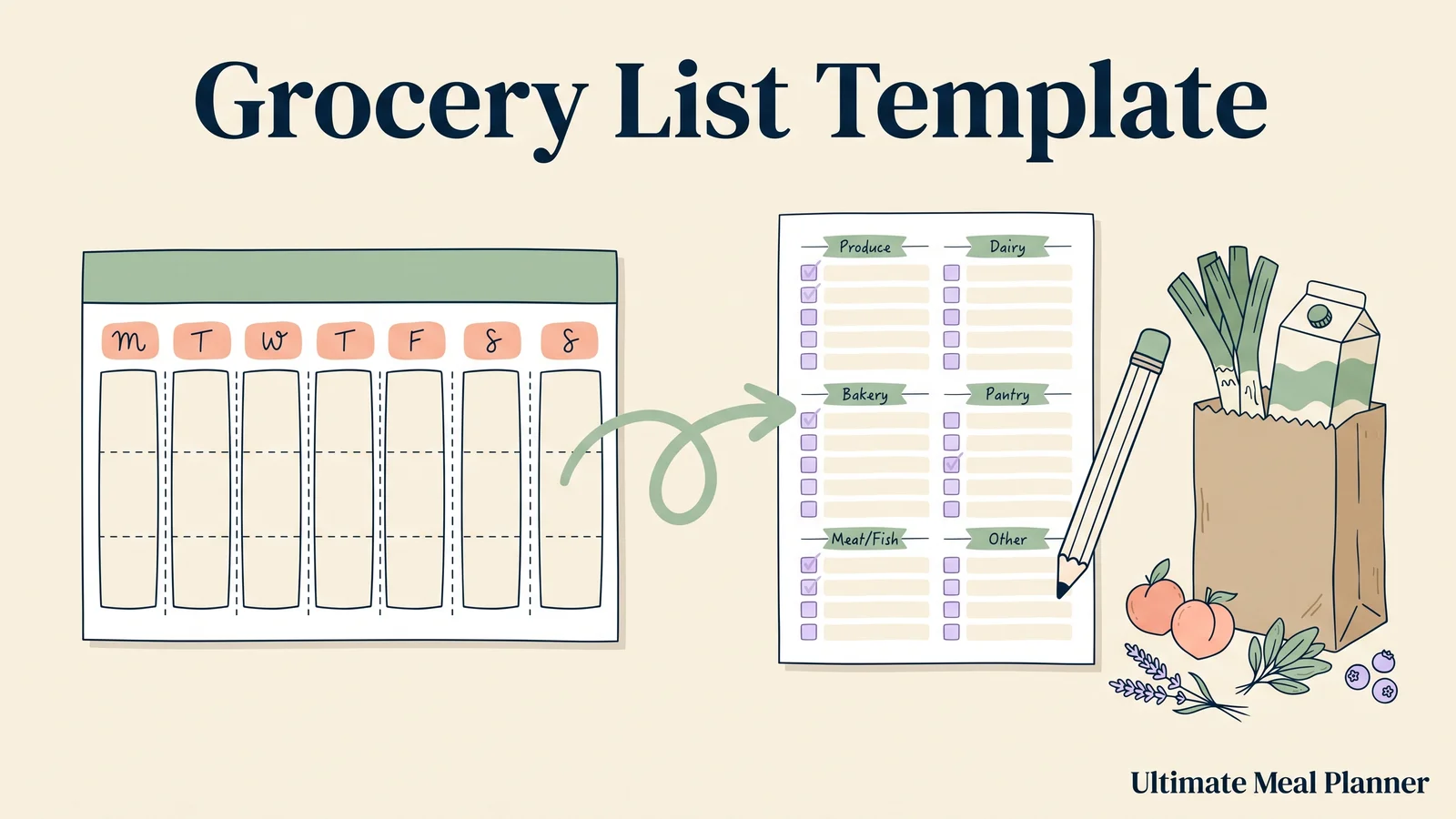
It's Saturday, 5pm, and you're standing in the cereal aisle. The list in your phone says "chicken, rice, stuff for tacos." You bought garlic last week. Do you have garlic? You buy more anyway, and the bag at home turns into a third open jar of salsa.
A grocery list written from memory misses things and doubles others. A grocery list template is a reusable list layout, and the good kind fills itself from the dinners you planned.
This guide shows what that list looks like, which columns it needs, and how to build one from a week of meals in about ten minutes.
Before You Plan: the key takeaways
- A grocery list template should take its items from your meal plan, not from memory.
- Six columns do the job: ingredient, quantity, unit, store section, on hand and "no need to buy."
- A second list catches what no recipe names, like dish soap.
- Order the list by store section, with cold and frozen items last.
A Grocery List Template That Fills Itself: One Planned Week
The best grocery list template is one you rarely type into. The meals you picked write the list, and the things you already own cross items off before you leave the house.
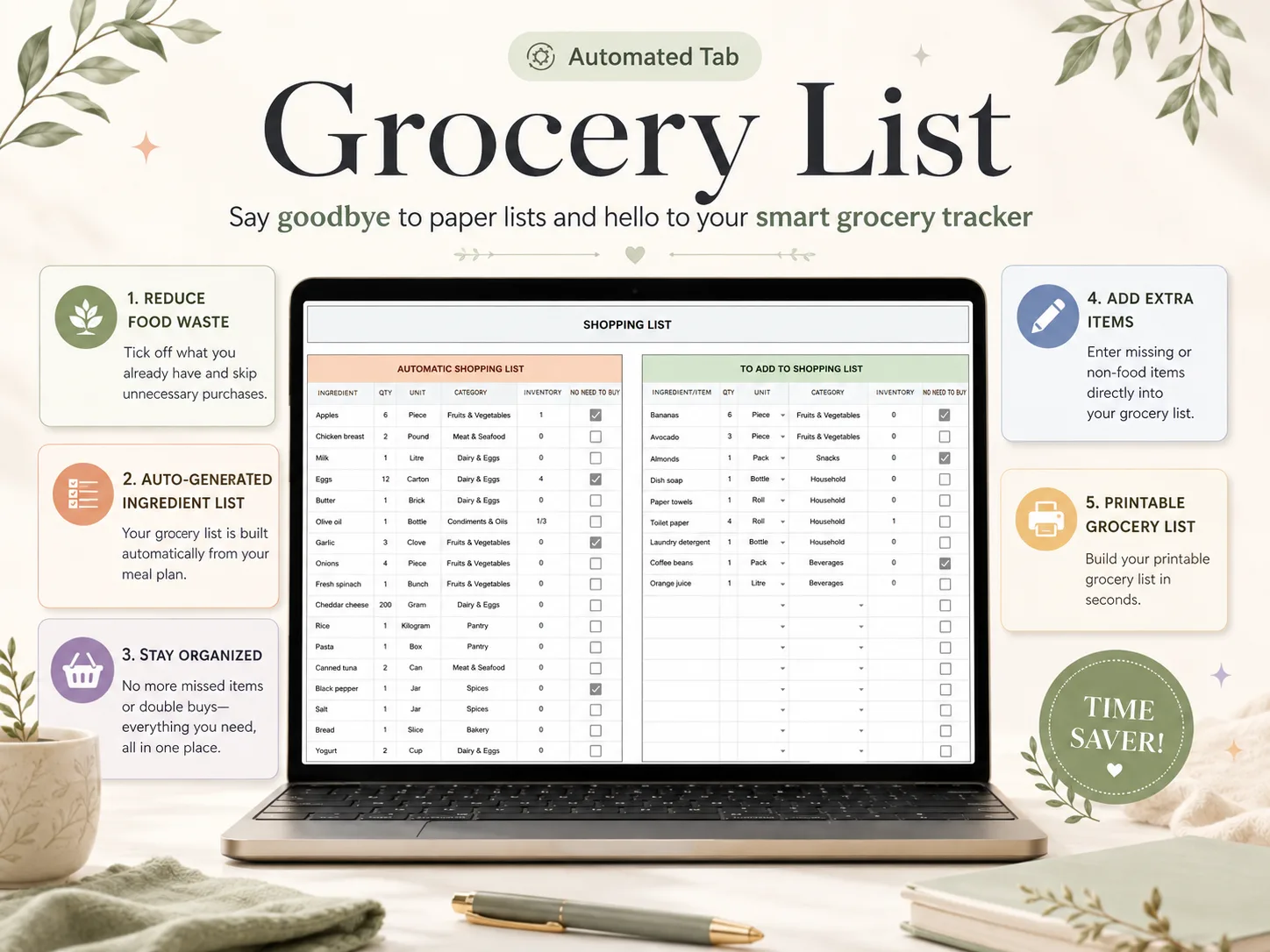
[Original data] Here is a slice of the automatic list in the Shopping List tab of Ultimate Meal Planner, built from the sample week. Nobody typed these rows. The quantities come from the recipes chosen on the Meal Planner tab.
| Ingredient | Qty | Unit | Store section | On hand | No need to buy |
|---|---|---|---|---|---|
| Apples | 6 | Piece | Fruits & Vegetables | 1 | Ticked |
| Chicken breast | 2 | Pound | Meat & Seafood | 0 | |
| Milk | 1 | Litre | Dairy & Eggs | 0 | |
| Eggs | 12 | Carton | Dairy & Eggs | 4 | Ticked |
| Cheddar cheese | 200 | Gram | Dairy & Eggs | 0 |
Two rows are ticked, which means you can skip those items entirely. The eggs show 4 on hand, which tells you to check the refrigerator before purchasing a full carton. Everything is already sorted by section, so you walk the store once.
If you're still choosing a layout for the whole week, this guide to the four parts of a meal planner template shows where the list fits.
Grocery List Template Formats at a Glance
The format decides whether you retype. This table compares what you'll find in the search results.
| Format | Fills from your plan? | Knows what you own? | Cost | Good for |
|---|---|---|---|---|
| Printable PDF | No | No | Free to low | A quick one-off trip |
| Notes app list | No | No | Free | Adding items on the go |
| Blank spreadsheet | Only if you build the formulas | Only if you add a column | Free | People who like to tinker |
| Shared shopping-list app | No, you add items | Partly | Free to yearly | Two people shopping apart |
| Plan-linked spreadsheet | Yes | Yes, with an inventory column | One-time | Weekly planners who shop once |
Most results for this keyword are printables and Pinterest pins. They look good and they're static. Someone still has to read the plan and write the list.
What a Grocery List Template Needs
You don't need a pretty page. You need these four things, and each one answers a question you ask in the aisle.
Store Sections: So You Walk the Store Once
A list sorted by section, such as Fruits & Vegetables, Dairy & Eggs, Meat & Seafood and Pantry, saves you from backtracking through the store. An unsorted list can send you across the building three times for one forgotten carton.
Good for: anyone whose trips run long because the list jumps between aisles.
Quantity and Unit: So "Rice" Means Something
"Rice" is not really a list item, but "1 kilogram rice" is, since a quantity and a unit stop you from guessing at the store and let the sheet add up the same ingredient across several recipes.
Good for: cooks who buy too little, then make a second trip.
An On-Hand Column: Check Before You Buy
An on-hand number plus a "no need to buy" tick is the cheapest way to stop buying duplicates, and the check takes only about ten seconds in the kitchen before you leave for the store.
Good for: households with half-full jars at the back of every cupboard.
A Second List for Everything No Recipe Names
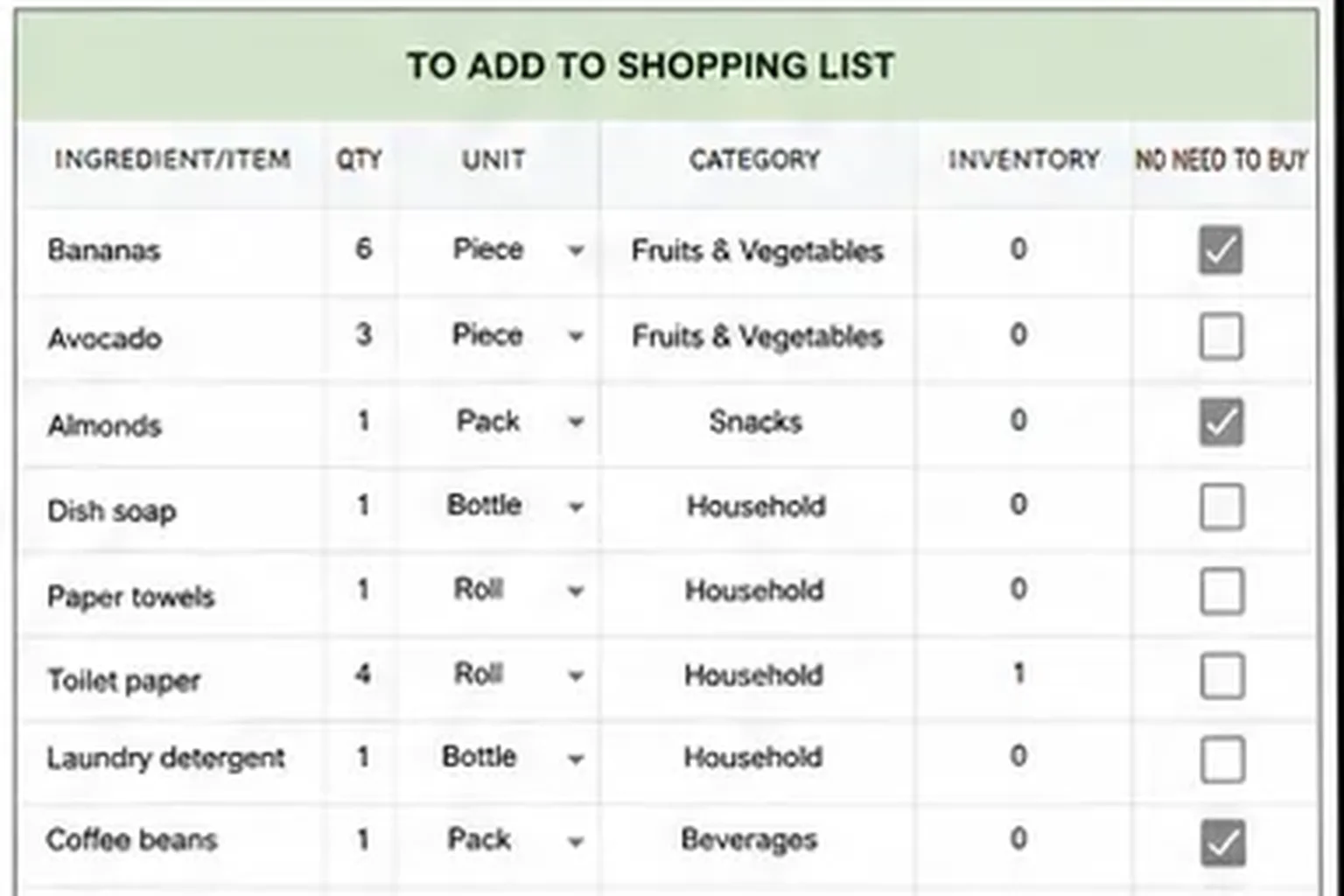
Dish soap, paper towels, coffee beans and bananas don't belong to any particular dinner, so the sample sheet keeps them in a separate add-on list with the same columns. They never get lost between recipes.
If you build your own sheet, pick the unit from a dropdown instead of typing it. A dropdown list in a Google Sheets cell keeps the units consistent, and consistent units are what keep the totals correct when the same ingredient appears in several recipes.
Good for: shoppers who remember the dinner ingredients and forget the household basics.
How to Build Your List From a Meal Plan in 10 Minutes
Skip the blank page and start from the week you already planned. If the dinners are chosen, the list takes about ten minutes, and most of that goes to checking the pantry and the refrigerator.
- Pick the week's dinners. Five is enough. Choose recipes you already cook.
- Let the plan write the list. In a linked sheet, the ingredients land on the list on their own. In a loose template, you copy them over by hand.
- Check the pantry and the refrigerator. Enter what you have and tick "no need to buy."
- Add the extras. Fill the second list with soap, coffee and snacks.
- Print or open it on your phone, and shop from the sections in order.
The retyping step is the one most people skip past. It's also where a meal planner spreadsheet that builds the grocery list from your recipes earns its keep: step 2 stops being your job.
A Staples List for the Things You Buy Every Week
Some items show up on every list: milk, eggs, bread, onions, olive oil. Writing them out each Saturday is the same retyping problem in a smaller form.
A staples list is a short, fixed list of what your kitchen should always hold, and you check it against your pantry once a week so that you add only the items that are running low. Ultimate Meal Planner includes a free bonus PDF, Staples Grocery List + Pantry Method, for exactly this job.
What Actually Makes a Grocery List Work
[Unique insight] A list can be perfect on paper and still go wrong at the store, because most advice stops at the page. These habits close the gap between the list and the actual trip to the store, and none of them needs an app.
Shop the list in order. Illinois Extension says to shop for shelf-stable items first and pick up hot and cold items last. That limits the time food spends between 40°F and 140°F, where bacteria grow easily. So sort cold and frozen items to the bottom of your list.
Mind the two-hour rule. The same source says to refrigerate perishables within two hours, and sooner in hot weather. Make groceries the last stop before home.
Bag raw meat separately, then store it low. The same page recommends double-bagging raw meat so juices don't leak onto other food. At home, Penn State Extension says to keep ready-to-eat foods above raw meat in the refrigerator, and to keep a home refrigerator below 40°F.
Keep one list, not three. A note on the fridge, a note on your phone and a text from your partner is how items go missing. One list that fills itself from your planned dinners means one place to look.
How We Made This
The Cosmo Suite team wrote this guide and built Ultimate Meal Planner, which appears in the screenshot. Methodology: the sample rows were read from the template's Shopping List tab. The food safety guidance was checked against the linked Illinois Extension and Penn State Extension pages on 7 October 2026. Check it before you rely on it, because storage and timing advice can change. You can read more about us on the About page and our approach on the editorial policy page, and if you spot a mistake, the Contact page is the place to tell us.
Where Ultimate Meal Planner Fits
Ultimate Meal Planner is a one-time spreadsheet by Cosmo Suite, not a subscription.
The slow part of grocery planning is the gap between the meal planning stage and the finished shopping list. A ready-made grocery list and meal planner template closes it. The Shopping List tab builds the list from your plan, sorts it by category and shows how much you have on hand. It also keeps a second list for extra items, and a printable shopping list tab sits beside it.
The whole sheet has 15 tabs, including a Recipe Book for up to 1,000 recipes, a Meal Planner and an Inventory tab. It works in Excel and Google Sheets. It doesn't import recipes from websites, so you type or paste your own.
Frequently asked questions
What should a grocery list template include?
Six columns: ingredient, quantity, unit, store section, how much you already have, and a tick for no need to buy. Add a second list for items no recipe covers, like dish soap or coffee. Everything else is decoration.
Is a spreadsheet better than a printable grocery list?
For a one-off trip, a printable is fine. For a weekly shop, a spreadsheet wins because it can pull ingredients from your meal plan. A printable can't add up the garlic for three recipes. You do that by hand.
Can a grocery list template pull from a meal plan?
Yes, if the template is built that way. A plain list page won't. You need a sheet where the week's meals feed a list, with quantities added up across recipes. Ultimate Meal Planner does this on its Shopping List tab.
How do I organize a grocery list so I shop faster?
Group items by store section, then order the sections the way you walk the store. Put shelf-stable items first and cold or frozen items last. Illinois Extension recommends that order to limit time in the temperature danger zone.
How long can groceries sit before they go in the fridge?
Refrigerate perishables within two hours, and sooner when it's above 80°F outside. Illinois Extension gives the same two-hour rule. Insulated bags and an ice pack help if you have more stops before home.
Is there a free grocery list template?
Yes, plenty of free printables exist. Ultimate Meal Planner also comes with a free bonus PDF, Staples Grocery List + Pantry Method, for the items you buy every week. The auto-built list itself lives inside the paid spreadsheet.
What is the fastest way to stop forgetting things at the store?
Build the list from your meal plan instead of from memory. Whatever the week's dinners need lands on the list, and a second add-on list catches household items. Then tick off what's already in the pantry before you leave.
